Available booths in context
Exhibitors begin with the live map, where they can review the booth location and availability before reserving it.
Mapboot puts booth availability on the live event floor plan. Exhibitors can select their space, provide their details, choose available extras, and return to their account to manage the reservation.
Each reservation is linked to a booth, which gives organizers a clearer record of the space, the exhibitor, selected extras, invoice, payment progress, and current status.
Exhibitors begin with the live map, where they can review the booth location and availability before reserving it.
Offer the additions you need for the show, from practical rentals to promotional or sponsorship packages.
Reservation details and invoices are available from the organizer dashboard instead of being split across forms and spreadsheets.
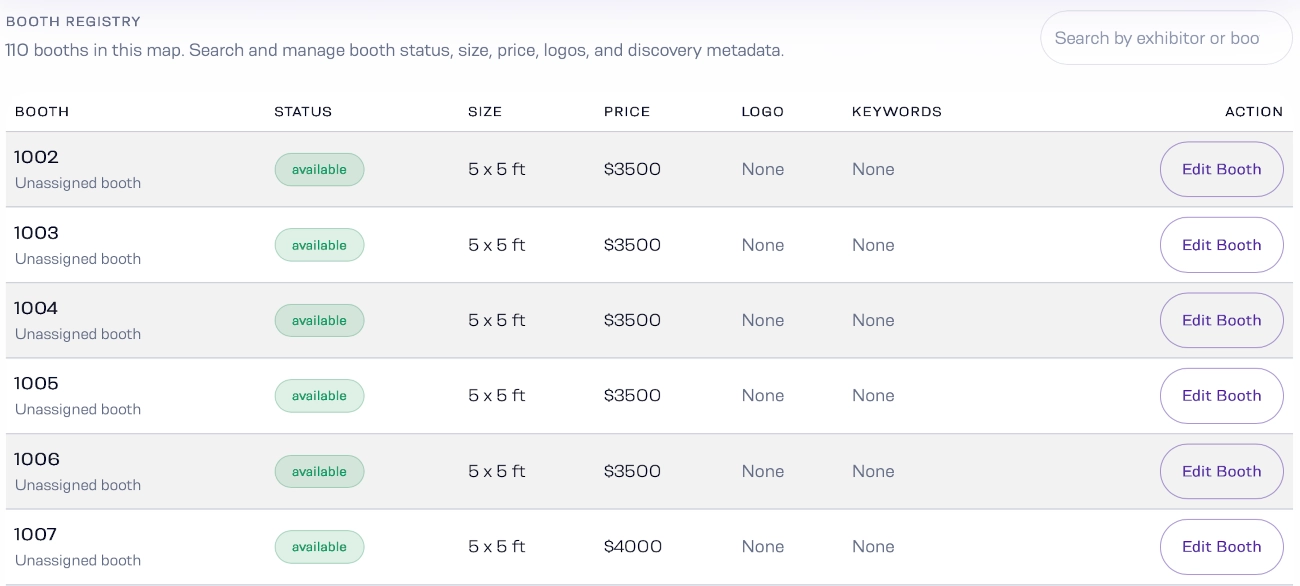
The organizer dashboard keeps booth inventory visible while you review reservations, record payments, and make the call on the booth’s final status.
A booth is not only a number. Location, nearby exhibitors, entrances, sponsor areas, and the surrounding hall all shape how someone evaluates a space.
Configure booth details, availability, and event-specific extras from the organizer workspace.
Use the live map as a visual starting point for reservations instead of directing people to an isolated order form.
Track reservation status, invoices, and payment information from the same operational record.
Open a demo to view available booths, exhibitor discovery, and the public event-map experience.