Trade show and event map software

Event maps people can actually use.

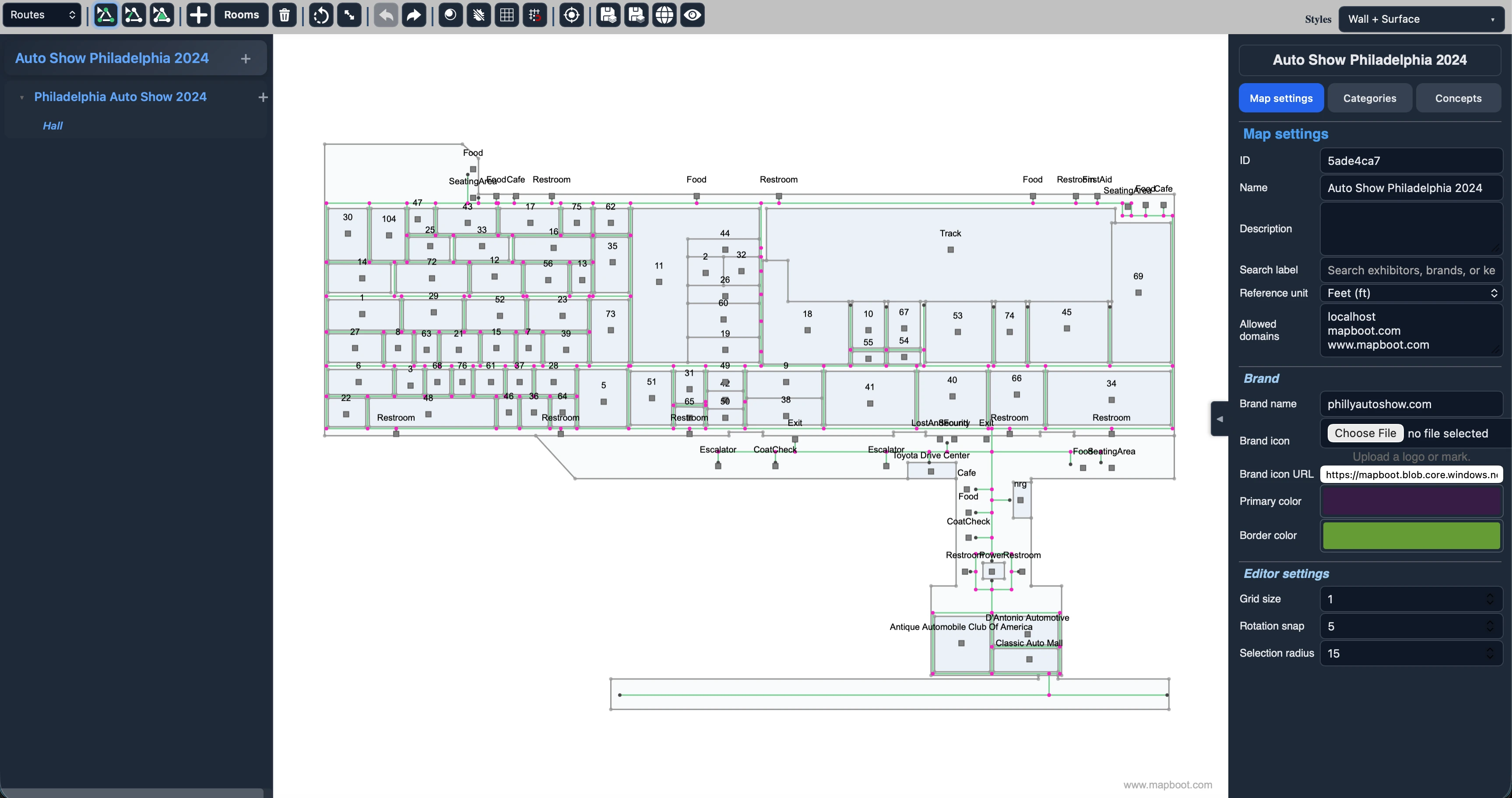
Mapboot turns a static floor plan into a live map your attendees can open in the browser, search without guesswork, and use while they are moving through the event.

Searchable booths Browser-based wayfinding Organizer analytics

What Changes with Mapboot

One live event map

Give attendees one place to open, search, and navigate instead of sending them to PDFs, lists, and separate tools.

Better exhibitor visibility

Make exhibitors easier to find and give sponsors a clearer place inside the live map experience.

Demand you can measure

See what people searched for, what they opened, and what demand has not been met.
Why Choose Mapboot

A simpler way to publish and manage event maps.

The point is not to add another layer of software. The point is to make the floor easier to understand, easier to update, and easier for attendees to use when they need an answer quickly.

01
Easy to activate on-site

One live map for attendees

When people are standing in a lobby or aisle, they do not want instructions about where to find the map. They want the map. QR codes and direct links make that handoff simple.

Send people straight to the hall, booth area, or destination they need.
Use signage, print, and sponsor placements to open the same live map instead of handing people a dead-end PDF.
02
We build your map for you

Your team sets the structure, then we build the map

You set up the basics first: building, floors, and floor plans. Once that is in place, our team handles the map production work so your team can stay focused on approvals and event operations.

You provide the structure and floor plans.
We build the booth layout and prepare the public map for launch.
03
Behavior you can measure

Learn what people were actually trying to find

After the event, the useful questions are usually simple: what did people search for, where did they spend time, and what kept coming up that the map did not answer well enough? That is the kind of signal this layer is meant to provide.

Use the data to improve naming, categories, and signage for the next run.
Give exhibitors and sponsors a clearer picture of whether people were actually finding them.
04
Promoted exhibitors

Clearer visibility for featured exhibitors

Some events want a straightforward way to give sponsors or featured exhibitors more presence inside the map. This makes that possible without turning the whole experience into an ad unit.

Highlight featured exhibitors in a way that still feels usable for attendees.
Create a cleaner story around sponsor visibility inside the map itself.
05
Approved exhibitor contributions

A cleaner exhibitor submission workflow

Once the map is built, exhibitors can submit their own booth details through one public form. Those updates are matched to the right booth and held for organizer review before anything is published.

Cut down on scattered email collection.
Keep organizer approval before anything goes live.
06
Fast to launch

Browser-based launch, no app required

The map can live directly on your website, which means attendees do not need to install anything just to figure out where they are going.

Embed the same viewer across your event site and related pages.
Let people open the map immediately, without app downloads or account creation.
Plans

Three ways to roll out Mapboot

Start simple, add brand treatment if you want the map to feel more native, or choose Premium if post-event insight matters to your team.

Core

Launch-ready

$0
Base tier add-on
  • Interactive event map viewer
  • Attendee search and route guidance
  • Website embed and QR-ready access
  • No app download required

Best for teams that want a clean launch without extra layers.

Choose Core
Branded

Looks like your brand

+$900
One-time tier add-on
  • Everything in Core
  • Primary brand color and border styling
  • Brand name and logo inside the viewer
  • Optional website link for organizer branding

Best for events that care about brand consistency.

Choose Branded
How It Works

How the rollout works

The process is straightforward: set up the structure, let us build the map, collect updates, then publish.

1
Payment

Kick off the project

Complete checkout so we can start the build and align on scope and timing.

2
Map Meta

Set up the map metadata

Set the basics: buildings, floors, floor plans, and brand details.

3
Map Building

We build the graphics

We turn that structure into the live map your attendees will use.

4
Public Contributions

Collect exhibitor submissions

Collect exhibitor updates through one form, then review them before publishing.

5
Map Publish

Launch live

After testing, publish the finished map to the event website. The map can continue to be updated as needed.

Common Questions

A few common questions

If you are just getting oriented, these are the questions people usually ask first.

It gives your team a live map that is easier to search, easier to open, and easier to keep current than a static floor plan.

No. The map can be opened directly in the browser and embedded on the event website.

Yes. Exhibitors can send updates through a public form, and your team still approves what gets published.

Your team sets up the structure, then we build the map and help you get it ready to publish.

Have questions about your event?

Book a quick call to walk through your use case, or contact sales if you want rollout guidance, pricing context, or a more detailed conversation.