
How to Launch an Interactive Trade Show Floor Plan Without Disrupting Your Event Operations
Launching an interactive trade show floor plan does not need to be complicated. Here is how event teams can add search, navigation, website embed, QR access, and exhibitor discovery without disrupting existing operations.
How to Launch an Interactive Trade Show Floor Plan Without Disrupting Your Event Operations
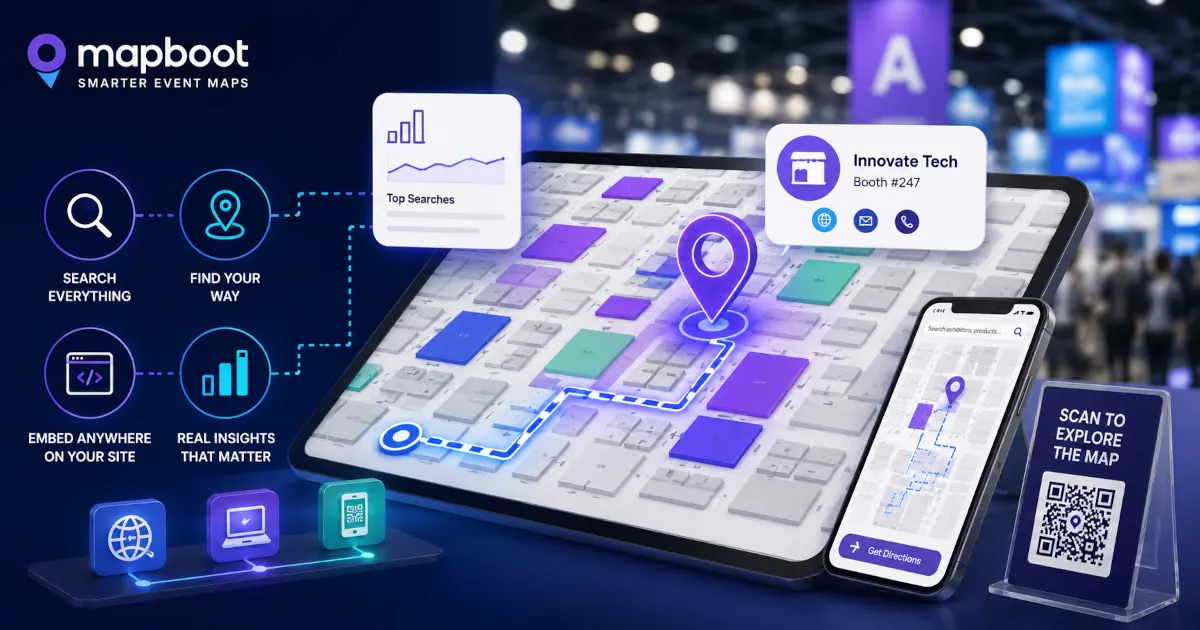
For many trade show teams, the floor plan is one of the most important parts of the attendee experience. It helps visitors understand the venue, find exhibitors, locate zones, and make decisions about where to spend their time. It also affects exhibitor visibility, sponsor value, and the overall feeling of how easy the show is to explore. But even when event teams know their floor plan could be better, changing it can feel risky. Most organizers already have systems in place. They may have a registration platform, an event website, a printed show guide, an event app, a booth sales platform, signage, exhibitor lists, sponsor placements, and internal operations workflows. Nobody wants to introduce a new tool that creates more work right before the show opens. That is why the best way to launch an interactive trade show floor plan is not to replace everything. It is to add a focused discovery layer that makes the existing floor plan easier to use. A searchable, browser-based map can sit alongside the current event experience, help attendees find exhibitors faster, and give organizers better visibility into what visitors are trying to discover. The key is launching it in a way that supports operations instead of disrupting them.
Start with the floor plan you already have
A modern interactive map does not need to begin with a perfect data system.
Most events already have the basic materials needed to get started:
- a floor plan image or PDF
- exhibitor names
- booth numbers
- categories or product groups
- sponsor information
- venue zones or halls
- basic event website pages
That is usually enough to create a useful first version of the map. The goal is not to rebuild the entire event infrastructure. The goal is to turn the existing floor plan into something attendees can search, explore, and use from their browser. This matters because many floor plan upgrades fail when they become too heavy operationally. If the team needs to migrate every workflow, retrain every stakeholder, and replace existing systems, the project becomes harder to approve. A lighter rollout works better. Start with the event map. Make it searchable. Add the exhibitors. Add useful metadata. Embed it on the event website. Then improve from there.
Keep the map browser-based
One of the easiest ways to reduce friction is to avoid forcing attendees to download an app just to find a booth. Apps can be useful for some event experiences, especially when they include schedules, networking, badges, or personalized agendas. But floor plan access should be simple.
When an attendee is standing inside a venue and trying to find a company, product, category, sponsor, restroom, entrance, or feature area, the fastest path is usually:
1- Scan a QR code.
2- Open the map.
3- Search.
4- Get oriented.
That is why a browser-based floor plan is practical. It works from the event website, from QR codes, from emails, from exhibitor pages, from sponsor pages, and from onsite signage. It does not ask the attendee to install anything before they can get help. For event teams, this also makes rollout easier. The map can be linked or embedded where attendees already go.
Treat search as the main experience, not a secondary feature
Many trade show floor plans are visually useful but hard to search. Attendees often know what they want, but they may not know the exact booth number or exhibitor name. They might search by product type, category, brand, service, country, material, technology, or a problem they are trying to solve.
For example, an attendee may search for:
- packaging automation
- EV charging
- robotics
- kitchen appliances
- Italian furniture
- medical devices
- startup pavilion
- AI inspection
- logistics software
A static floor plan cannot respond to that behavior. A searchable event map can. This is where the floor plan becomes more than a layout. It becomes a discovery tool. Visitors can find exhibitors through the words they actually use, not only through booth numbers or alphabetical lists. That is especially important for large shows where attendees cannot realistically visit every booth. The map helps them decide where to go. For more detail on that discovery layer, see how interactive floor plans help exhibitors get discovered at trade shows.
Add exhibitor metadata before the event opens
The quality of the search experience depends on the quality of the exhibitor data.
At minimum, each exhibitor should have:
- company name
- booth number
- category
- short description
- website
- logo if available
- relevant keywords
The keyword layer is especially important. If an exhibitor sells industrial vision systems, but their profile only includes the company name, many attendees will never discover them through search. If their metadata includes terms like machine vision, inspection, automation, camera systems, quality control, and robotics, the exhibitor becomes easier to find. This does not need to be complicated. The first version can use public exhibitor descriptions, website summaries, categories, and manually reviewed keywords. The point is to make the floor plan behave more like a discovery system and less like a flat image.
Do not wait until the show floor is final
One mistake event teams make is waiting too long to prepare the map. It is understandable. Floor plans change. Booths move. Exhibitors cancel. Sponsors are added. Zones get renamed. Entrances and feature areas may change close to the event date. But the interactive map does not need to wait until every detail is final.
A better workflow is:
- Build the first map from the latest available floor plan.
- Add confirmed exhibitors and booth numbers.
- Add categories and search metadata.
- Review the map internally.
- Update changes as the event gets closer.
- Publish the final version when the team is ready.
This gives the organizer time to test the experience before attendees use it. It also reduces last-minute pressure. The map becomes an operational asset, not a rushed add-on.
Use website embed and QR access together
The event website is usually the best place to launch the map. A website embed makes the floor plan easy to find before the event. Attendees can explore exhibitors, search categories, and plan their visit from desktop or mobile. QR access is more useful onsite.
QR codes can be placed on:
- entrance signage
- registration areas
- printed guides
- sponsor boards
- information desks
- aisle signs
- exhibitor service desks
- email reminders
- social posts
This gives attendees multiple ways to open the same map depending on where they are in the journey. Before the event, they may use the website. During the event, they may use QR codes. After the event, the organizer can still review map activity and discovery data. The same map can support all three phases.
Keep the first launch simple
A successful map launch does not need every possible feature on day one.
For many events, the first version only needs to answer a few practical questions:
- Can attendees find exhibitors by name?
- Can they search by product or category?
- Can they open exhibitor details?
- Can they locate booths on the floor plan?
- Can the map be embedded on the website?
- Can attendees access it through QR codes?
- Can the organizer see basic discovery behavior?
That is already a major improvement over a static floor plan. Advanced analytics, sponsor reporting, exhibitor-level insights, and deeper search behavior can become more valuable once attendees begin using the map. The first goal is adoption. Make the map easy to access. Make search useful. Make the experience reliable.
Use map behavior to improve the event while it is live
One advantage of a searchable floor plan is that it can reveal problems quickly.
If many attendees search for something and find no result, that is useful information. It could mean:
- an exhibitor profile is missing important keywords
- a category name does not match attendee language
- a sponsor or feature area is hard to find
- attendees are looking for a product group that is not clearly represented
- the event has demand for something not currently present
This does not need to wait for a post-event report. Some issues can be fixed while the event is still live. Keywords can be improved. Categories can be adjusted. Feature areas can be made easier to find. Sponsor placements can be clarified. That is where the map starts helping operations, not just attendees. It gives the team a way to see where discovery is working and where visitors may be getting stuck. Those signals become much more useful when the team reviews them after launch. The related article on Mapboot attendee discovery analytics explains what organizers can learn from searches, no-result queries, selected exhibitors, and route requests.
Give exhibitors a better visibility story
Exhibitors care about being found. A booth location matters, but location is not the only source of visibility. In a large trade show, many attendees discover companies through search, categories, recommendations, sponsor placements, or product intent. An interactive floor plan can help organizers show exhibitors more than basic placement.
For example:
- how often an exhibitor was opened
- whether visitors found them through search
- which keywords led to their profile
- whether people requested directions to their booth
- whether promoted locations received more attention
- whether category placement helped discovery
This can support stronger exhibitor conversations before and after the event. Instead of only saying, “your booth was listed on the floor plan,” the organizer can show whether the exhibitor was actually discovered. That makes the map more valuable to the event business, not just the attendee experience.
Make it easy to test before committing
For many event teams, the hardest part is not understanding the value of an interactive map. The hard part is approving another tool. That is why a low-risk test matters. With Mapboot, event teams can use a free Core plan that supports unlimited map creation, unlimited exhibitors, search and navigation, website embedding, and QR-ready access. This allows organizers to test a searchable map experience without needing to commit upfront or replace their existing event systems. For some teams, the Core plan may be enough for an initial launch. For others, it can be a way to validate the experience before adding deeper analytics, sponsor reporting, or custom event support. The important point is that the map can start small. It does not need to become a major software project. If you are also evaluating alternatives, the Mapboot vs Map Your Show comparison can help frame whether your event needs a focused map layer or a broader event platform workflow.
A practical launch checklist
Here is a simple rollout checklist for event teams considering an interactive trade show floor plan:
Before setup
- Gather the latest floor plan PDF or image
- Export the exhibitor list
- Confirm booth numbers
- Collect exhibitor categories
- Identify sponsor locations
- List key areas such as entrances, registration, lounges, stages, restrooms, and food zones
During setup
- Create the interactive map
- Add exhibitors and booth locations
- Add categories and keywords
- Add logos, descriptions, and website links where available
- Test search using real attendee language
- Review mobile usability
- Prepare website embed and QR links
Before launch
- Share the map internally
- Check booth accuracy
- Test common searches
- Test QR codes
- Add the map to the event website
- Prepare simple attendee instructions
- Confirm who can request updates
During the event
- Monitor search behavior
- Watch for no-result searches
- Fix obvious keyword gaps
- Check which exhibitors or zones are receiving attention
- Use map feedback to support onsite decisions
After the event
- Review discovery analytics
- Identify top searched categories
- Review no-result demand
- Prepare exhibitor or sponsor visibility reports
- Use the data to improve the next edition
This process keeps the map connected to real event operations.
It also makes the project easier to explain internally.
Final thought
An interactive trade show floor plan should not make the organizer’s job harder. It should make the event easier to explore, easier to understand, and easier to improve. The best rollout is not about replacing every existing system. It is about adding a searchable, browser-based discovery layer that helps attendees find what they need and helps organizers understand what visitors are trying to discover. Start with the floor plan you already have. Make it searchable. Embed it on the event website. Make it QR-ready. Use attendee behavior to improve discovery. That is enough to turn the map from a static reference into a practical event tool. And for many trade shows, that is the right first step.